


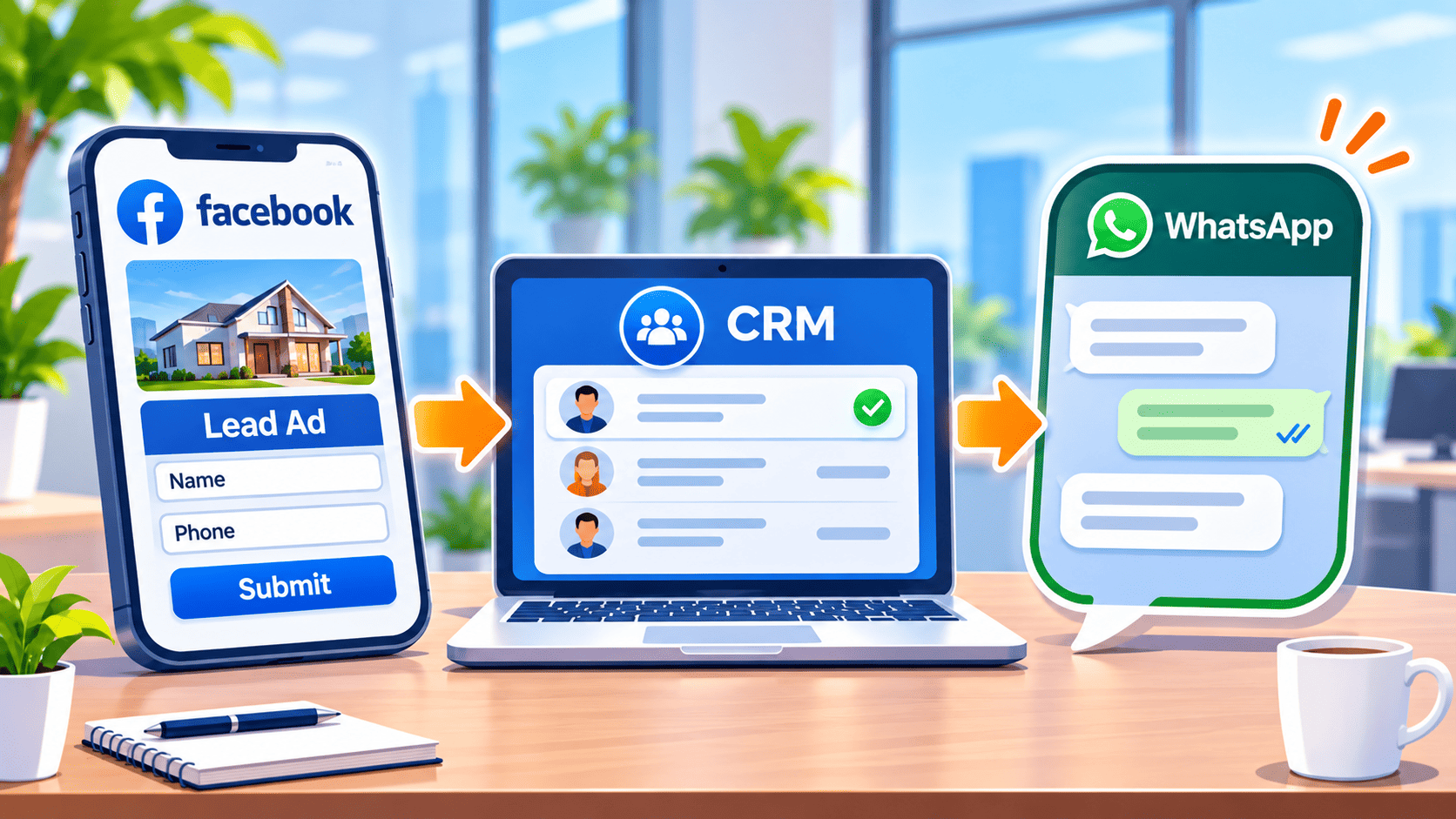
Your customers live on WhatsApp, your ads run on Facebook and Instagram, and somewhere between the two, leads disappear. Many owners try to fix this by asking salespeople to copy numbers from Meta's lead centre into WhatsApp one by one. Others switch every campaign to Click-to-WhatsApp and then drown in "Hi" messages with no context. Getting Facebook lead ads to WhatsApp right means choosing the correct ad format for each goal and, when you use lead forms, building a reliable bridge through your CRM so every lead receives a WhatsApp message within seconds. This guide compares the two routes and gives you a setup that works in day-to-day Indian sales.
Table of contents
- Two ways to move Facebook lead ads to WhatsApp
- Click-to-WhatsApp ads: strengths and trade-offs
- Lead forms plus a CRM bridge: strengths and trade-offs
- Side-by-side comparison
- Setting up the CRM bridge step by step
- A hypothetical example
- How Wetroo helps
- FAQs
- Conclusion
Two ways to move Facebook lead ads to WhatsApp
Route A: Click-to-WhatsApp (CTWA) ads. The ad button opens a WhatsApp chat with your business. The prospect sends the first message.
Route B: Lead ads (Instant Forms) plus a CRM bridge. The prospect fills a form inside Facebook or Instagram, the lead syncs to your CRM, and the CRM sends a WhatsApp message to them.
Both end in a WhatsApp conversation. They differ in who starts it, what information you get and how it is priced.
Click-to-WhatsApp ads: strengths and trade-offs
Strengths
- The customer starts the chat, so the conversation feels natural and opens a customer service window.
- Cost advantages. According to Meta's pricing documentation, when a user messages you from a Click-to-WhatsApp ad on the mobile app and you reply within the service window, a free entry point window opens during which Meta does not charge for your marketing, utility, authentication or service messages; Meta says it can remain open for up to 7 days.
- Immediate engagement. People with quick questions get quick answers.
Trade-offs
- Little upfront information. Often just "Hi" or a pre-filled message. You must qualify in chat.
- Volume spikes. A good ad can create dozens of chats in an hour, which needs a team inbox or chatbot.
- Harder to qualify before contact. There is no form to filter out casual browsers.
Our guide to Click-to-WhatsApp ads in India covers creative and targeting.
Lead forms plus a CRM bridge: strengths and trade-offs
Strengths
- Structured data. You get name, phone and answers to qualifying questions such as budget or city.
- Better filtering. Questions and higher-intent form settings reduce casual submissions.
- Calling plus WhatsApp. Ideal for businesses that close on the phone.
- Clean attribution. Campaign, ad set and form names travel with the lead into your CRM.
Trade-offs
- You start the conversation, so the first WhatsApp message must be an approved template, since no customer service window is open yet.
- Template costs apply at Meta's per-message rates for the category.
- Speed is everything. Without an instant bridge, the lead cools before you reach out.
Side-by-side comparison
| Factor | Click-to-WhatsApp ads | Lead forms + CRM bridge |
|---|---|---|
| Who sends first message | Customer | Business (template) |
| Data captured upfront | Minimal | Structured form answers |
| Message charges at the start | Free entry point window applies | Template charged by category |
| Best for | Quick questions, retail, D2C, local services | High-consideration: real estate, loans, education, B2B |
| Team requirement | Fast chat responders or chatbot | Fast callers plus WhatsApp |
| Qualification | In chat | Form questions, then call |
Many businesses use both: CTWA for quick-decision products, lead forms for high-ticket offers.
Setting up the CRM bridge step by step
- Get the official WhatsApp Business API through your CRM or provider. Unofficial WhatsApp Web automations are not supported by Meta and can put your number at risk.
- Connect your Facebook Page to the CRM so Instant Form leads sync automatically. Meta's Business Help Centre notes that leads can be sent to a connected CRM. Details are in our Facebook lead ads CRM integration guide.
- Create and approve a welcome template. Include the business name, the offer they asked about and a question. See our template approval tips.
- Map variables to form fields: name, product interest, city.
- Set a trigger: "When a new lead arrives from form X, send template Y."
- Assign the lead and alert the salesperson at the same time.
- Stop automation when the lead replies, so a human takes over inside the service window.
- Test end to end with a dummy lead on your own phone.
Sample welcome template
"Hi {{1}}, thanks for your interest in {{2}} from our Facebook ad. I'm {{3}} from {{4}}. Would you like the price list here on WhatsApp, or should I call you?"
Setup checklist
- Official WhatsApp Business API number connected
- Lead forms syncing to the CRM within seconds
- Welcome template approved and mapped
- Trigger tested on a real phone
- Assignment and alerts working
- Automation stops when the lead replies
Mistakes that break the bridge
- Sending the template hours later. The bridge only works if it is instant. A delayed WhatsApp message is just another unexpected text.
- Generic copy. "Thank you for contacting us" wastes the first message. Mention the product they asked about and the name of the person who will call.
- No human behind the message. If a lead replies "yes, call me" and nobody does for a day, automation has made things worse, not better.
- Forgetting consent wording. Tell people on the form that you will contact them on WhatsApp, so the message is expected and welcome.
- Running both routes without tracking. Tag every lead with its route so you can compare cost per sale, not just cost per lead.
A hypothetical example
Illustrative scenario, not a real business.
A Bengaluru-based home-interior brand runs two campaigns. For its ?1,999 design-consultation offer, it uses Click-to-WhatsApp ads; a chatbot asks for property type and area, then hands over to a designer. For full-home interior packages, it uses lead forms with questions on budget and possession date. Those leads sync to the CRM, receive a WhatsApp template within seconds naming the designer who will call, and get a call within minutes. The brand compares cost per booked consultation across both routes each month and shifts budget accordingly.
The key point is that neither route is automatically better. Click-to-WhatsApp suits quick, lower-ticket decisions, while lead forms suit considered purchases where you need details first, and measuring cost per booked consultation keeps the decision grounded in results.
How Wetroo helps
Wetroo bridges Facebook and Instagram lead forms to WhatsApp automatically. Leads sync directly from Facebook Ads and Instagram, along with Google Ads lead forms, IndiaMART and WordPress forms, and new-lead alerts reach your team instantly via the app and email. The one-touch Quick Response feature sends a personalised WhatsApp introduction, and rule-based workflows can send approved templates the moment a lead arrives.
For Click-to-WhatsApp traffic, Wetroo's omnichannel inbox on the official WhatsApp Business API lets your team handle chat spikes together, with custom assignment rules and a chatbot builder in English, Hindi and six other Indian languages. AI agents can qualify leads 24/7 and transfer live to a human.
FAQs
Can Facebook lead ads send leads directly to WhatsApp?
Leads from Instant Forms are stored by Meta and can sync to a CRM, which then sends a WhatsApp message through the official API.
Are Click-to-WhatsApp ads better than lead forms?
Neither is always better. CTWA suits quick questions and low-ticket offers; lead forms suit high-consideration purchases that need qualification and calls.
Do I need template approval to message Facebook leads on WhatsApp?
Yes, when you start the conversation, because no customer service window is open yet.
Can I use the WhatsApp Business app for this?
Not for automated sending. Automation and CRM triggers require the official WhatsApp Business API.
Conclusion
Moving Facebook lead ads to WhatsApp reliably is about matching the route to the goal. Use Click-to-WhatsApp ads when you want instant chats and lower initial message costs, and use lead forms with a CRM bridge when you need qualified data and fast calls. Either way, respond in seconds and let humans take over the moment the customer replies. To set up the bridge on the official API, start at www.wetroo.com.



