


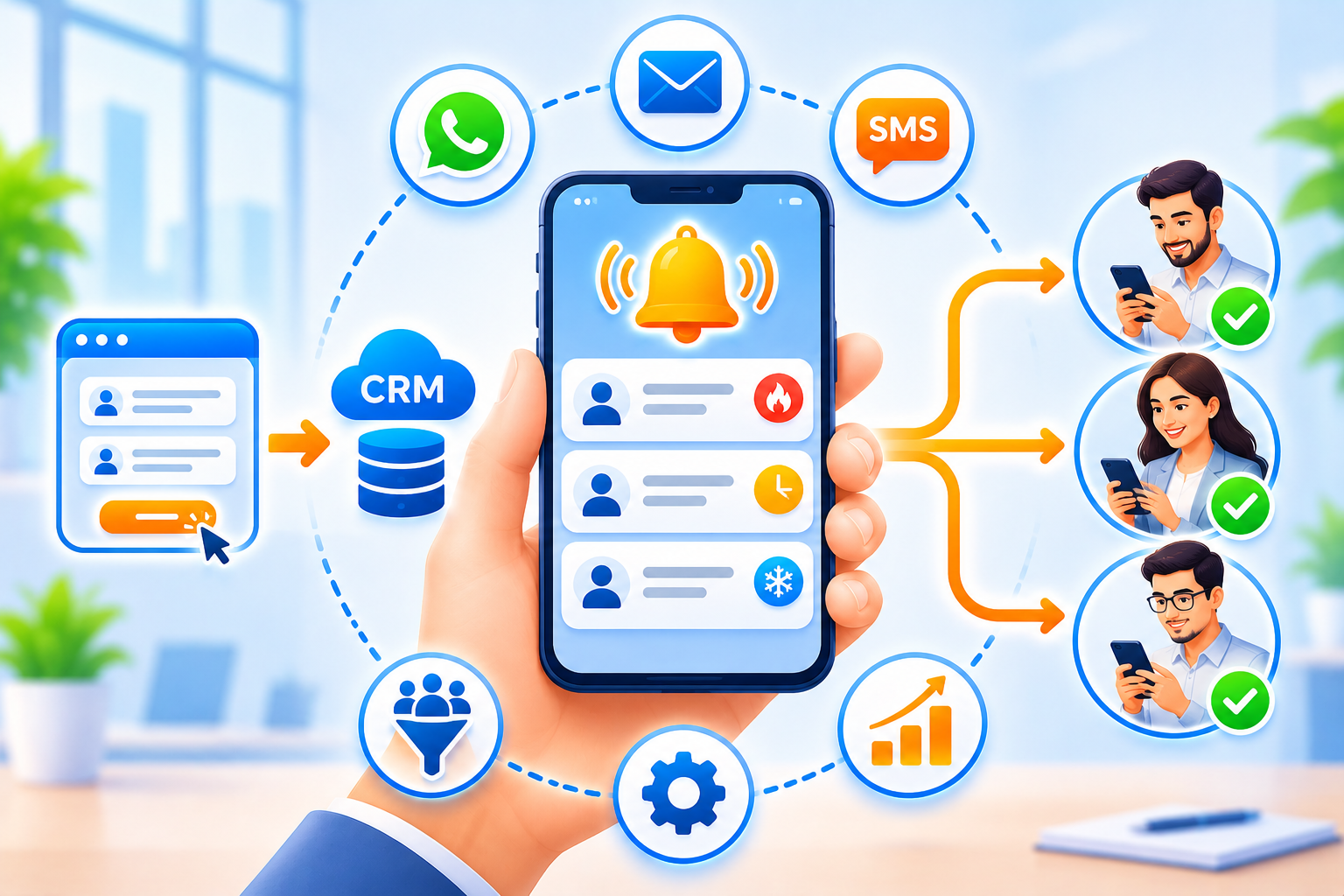
A lead fills your Facebook form at 7:42 pm. Your salesperson finds out the next morning when the manager forwards a spreadsheet. By then the prospect has already spoken to a competitor who called within minutes. Instant lead alerts close this gap. They push every new enquiry to the right salesperson's phone and inbox the moment it arrives, with the contact details one tap away. This walkthrough explains how lead alerts work, how to set them up for a team, and the habits that turn a notification into a conversation.
Table of contents
- What instant lead alerts are
- Why speed matters more than volume
- How to set up instant lead alerts for your team
- Alert rules that prevent chaos
- From alert to first contact
- How Wetroo helps
- FAQs
- Conclusion
What instant lead alerts are
An instant lead alert is a notification triggered when a new lead enters your CRM, whether from a Facebook or Instagram lead ad, a Google Ads lead form, IndiaMART, your website form or a WhatsApp chat. A good alert includes:
- The lead's name and phone number
- The source and campaign (for example, "Facebook – Diwali offer")
- What they asked for, if the form captured it
- Who the lead is assigned to
- One-tap actions: call, WhatsApp, email
Alerts usually arrive as a mobile app push notification and an email, so salespeople in the field and managers at a desk both see them.
Why speed matters more than volume
Most Indian SMBs do not have a lead shortage; they have a response problem. Leads from ads are often impulsive: someone saw your post, tapped the form, and moved on. If nobody calls while the interest is fresh, they forget they even enquired. Some people fill forms with several competitors at once. The first business to make a helpful, relevant contact usually sets the tone for the rest of the conversation.
Our guide to speed to lead goes deeper on this. The short version is: you cannot respond fast if you do not know the lead exists. That is the job of instant lead alerts.
How to set up instant lead alerts for your team
Here is a practical setup sequence that works for most sales teams.
Step 1: Connect every lead source
Connect your Facebook and Instagram lead ads, Google Ads lead forms, IndiaMART, website forms and WhatsApp to your CRM. Meta and Google both document how lead forms deliver data to connected systems (Meta for Developers; Google Ads Help). If a source is not connected, it cannot trigger an alert.
Step 2: Install the mobile app for every salesperson
Ask every salesperson to install the CRM's Android or iOS app and log in. Check that notifications are allowed in phone settings. Many missed alerts come from phones with battery-saver modes that silence background apps.
Step 3: Define assignment before alerts
An alert sent to everyone creates confusion or a race. Decide who owns each lead first, using rules such as source, product, city or language, or a round robin lead distribution.
Step 4: Choose alert channels
Use the app push notification for speed and email as a backup and record. Managers may want email alerts for all leads; salespeople only for their own.
Step 5: Test with a real form
Submit a test lead through each source and confirm it reaches the right phone and inbox within seconds, with correct details.
Alert rules that prevent chaos
Alerts are only useful if people trust them. Too many, and staff mute them; too few, and leads slip.
| Rule | Why it helps |
|---|---|
| Alert only the assigned owner | Avoids duplicate calls and arguments |
| Copy the team lead on high-value sources | Managers can step in quickly |
| Separate alerts for new leads vs reminders | Salespeople know what is urgent |
| Reassign if untouched after a set time | Prevents leads sitting with absent staff |
| Working-hours logic with AI cover after hours | Night leads still get an answer |
Checklist before you go live
- All lead sources connected and tested
- App installed and notifications enabled on every phone
- Assignment rules agreed and written down
- Email alerts configured for managers
- A rule for leads that are not touched in time
- A first-message template ready for WhatsApp and SMS
From alert to first contact
An alert is a starting gun, not the finish line. Train your team on what to do in the first five minutes.
- Tap the alert and read the lead's details and source.
- Send a quick introduction on WhatsApp so the lead sees your name and business even if they miss the call.
- Call. Reference the exact thing they asked about.
- Log the outcome with a note: connected, not reachable, call back later.
- Set the next follow-up before closing the app.
Common mistakes to avoid
- Treating email as the main alert. Field salespeople rarely watch their inbox. Use the app notification as the primary channel and email as a record.
- Letting alerts pile up. If a salesperson has 15 unread alerts, the system is not the problem; the workload or assignment rules are. Rebalance before leads go cold.
- No consequence for ignored alerts. Make "time to first contact" a standing item in your weekly sales review, so the team sees that response speed matters.
- Calling without context. Glance at the source and the form answers before dialling. "You asked about the 3-month weekend batch" sounds far better than "You filled some form?"
Hypothetical example
This is a hypothetical example, not a real customer. "SkillUp Coaching Centre" in Lucknow runs Instagram lead ads for spoken English batches. Earlier, the receptionist checked leads twice a day. After setting up instant lead alerts, each lead is assigned by batch timing to one of three counsellors, whose phones buzz immediately. The counsellor sends a one-tap WhatsApp introduction with the batch schedule and then calls. Leads that arrive after 9 pm get an AI chat reply that collects preferred timing, and the counsellor follows up at 10 am. The centre's managers now see, for every lead, when it arrived and when it was first contacted.
How Wetroo helps
Instant lead alerts are one of Wetroo's core features. According to wetroo.com:
- New leads are delivered instantly via the Wetroo app and email, and a tap shows the lead's contact information.
- The one-touch Quick Response feature sends auto-personalised introductions on WhatsApp, SMS or email in seconds.
- Teams and sub-teams with custom assignment rules make sure alerts go to the right person, and the analytics dashboard shows team performance.
- The Android and iOS apps include notes, follow-up reminders and a client timeline, so the alert, the call and the next step live in one place. Our post on choosing a mobile CRM app covers what else to look for.
- You can share leads by email with people who don't have a Wetroo account, useful for partners or franchisees.
- AI agents can chat, call and qualify leads 24/7 when your team is offline.
Lead capture covers Facebook Ads, Instagram, Google Ads lead forms, IndiaMART and WordPress forms, with 100+ integrations and webhooks.
FAQs
How do I get notified when a new lead comes from Facebook ads?
Connect your Facebook lead forms to a CRM that sends push and email alerts, then make sure the assigned salesperson has the app installed with notifications enabled.
Should every salesperson get every lead alert?
Usually not. Alert the assigned owner and copy a manager on important sources. Broadcasting every lead to everyone causes duplicate calls.
Why are my lead alerts arriving late?
Common causes are disconnected integrations, phone battery-saver settings, or notifications disabled for the app. Test each source and check phone settings.
What happens to leads that arrive at night?
Set an after-hours rule: an automatic message or AI agent acknowledges the lead, and the owner follows up first thing in the morning.
Conclusion
Instant lead alerts are the simplest upgrade most sales teams can make. Connect every source, assign before you alert, make sure every phone is set up, and train the team on the first five minutes. Faster awareness leads to faster responses, and faster responses lead to more conversations. To set up instant lead alerts with one-touch follow-ups for your team, visit www.wetroo.com.



