


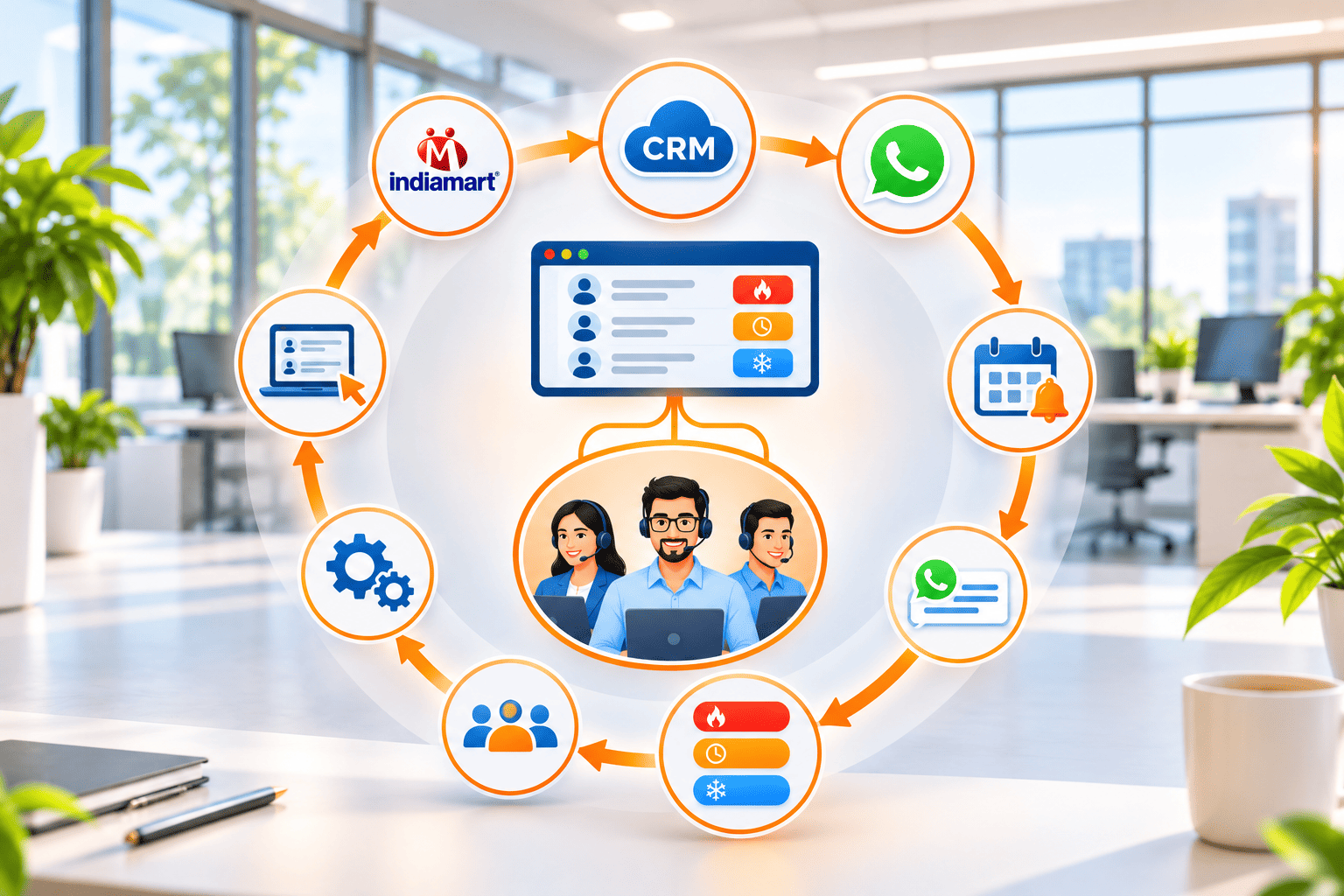
A typical IndiaMART seller's day looks like this: open the seller app, scroll through new enquiries, screenshot a few, forward them to salespeople on WhatsApp, and hope someone calls. Leads that arrive during a factory visit, a lunch break or a Sunday wait. Some are never touched. IndiaMART leads automation replaces that manual relay with a reliable flow: each inquiry is captured automatically, assigned to the right person, greeted on WhatsApp and turned into a call task, all within minutes. This guide maps out the flow step by step, explains your integration options and shows which parts to automate and which to keep human.
Table of contents
- What to automate, and what not to
- The five-step IndiaMART leads automation flow
- Integration options: Pull API vs Push API vs native connectors
- Writing the WhatsApp auto-reply
- Assignment rules for B2B teams
- A hypothetical example
- How Wetroo helps
- FAQs
- Conclusion
What to automate, and what not to
Automation should handle the repetitive, time-critical work. People should handle judgement.
| Automate | Keep human |
|---|---|
| Capturing every inquiry into the CRM | Understanding complex specifications |
| Removing duplicates | Negotiating price and terms |
| Assigning by product, region or rotation | Deciding whether a large custom order is feasible |
| Sending an instant WhatsApp acknowledgement | Building relationships with key buyers |
| Creating call tasks and reminders | Handling complaints or disputes |
| Follow-up nudges after quotations | Final commitment on delivery dates |
The goal is that no human ever has to copy a lead or remember a follow-up date.
The five-step IndiaMART leads automation flow
Step 1: Capture
New IndiaMART inquiries flow into your CRM automatically, with product, buyer details, message and lead type. No screenshots, no forwarding.
Step 2: Clean
The CRM checks whether the buyer already exists (by phone or email). Repeat buyers are merged and flagged, so they can go to the salesperson who handled them before.
Step 3: Assign
Rules decide the owner: by product line, by state, by language or in rotation. The assigned person gets a push alert on their phone.
Step 4: Greet on WhatsApp
An acknowledgement goes out within a minute, telling the buyer who will contact them. Because you are starting the conversation, this must be an approved WhatsApp template on the official API.
Step 5: Create a call task
A task is created for the salesperson to call within your target time. If the task is not completed, the lead escalates to a manager or is reassigned.
After the call, the salesperson logs requirements and sets the next step. Quotation follow-ups can then run on an automated sequence until the buyer replies.
Integration options: Pull API vs Push API vs native connectors
IndiaMART's help documentation describes API-based ways for paid sellers to bring leads into third-party CRMs. According to IndiaMART Help:
- The Pull API provides lead details in JSON format and requires the CRM to request data at scheduled intervals, which can introduce delays depending on how often it is called.
- A Push API mechanism was introduced to enable real-time lead syncing.
- The API is offered in do-it-yourself mode, so your IT team or CRM vendor handles the integration.
In practice, most SMBs use a CRM with a native IndiaMART connector that handles the technical side for them. When choosing, ask:
- Does the connector sync in real time or at intervals? How often?
- Are both direct enquiries and BuyLeads supported?
- Which fields come across (product, message, city, quantity)?
- How are duplicates handled?
- What happens if the API key changes or expires?
See our detailed guide to IndiaMART CRM integration.
Writing the WhatsApp auto-reply
The first WhatsApp message sets the tone for a B2B relationship. Keep it professional, specific and short.
Template example (utility-style acknowledgement): "Dear {{1}}, thank you for your enquiry about {{2}} on IndiaMART. {{3}} from {{4}} will call you shortly to understand your requirement. You can also reply here with quantity and delivery location."
Tips:
- Mention IndiaMART so the buyer recognises the context.
- Name the salesperson who will call.
- Invite the buyer to share key details, which also opens the 24-hour window for free-form replies.
- Avoid promotional language in an acknowledgement; save offers for separate marketing templates.
- Follow Meta's formatting rules, such as not starting or ending with a variable, described in its template review documentation.
Hindi variant
"Namaste {{1}} ji, IndiaMART par {{2}} ke liye aapki enquiry ke liye dhanyavaad. {{4}} se {{3}} aapko jaldi call karenge. Aap quantity aur delivery location yahan bhi bhej sakte hain."
Assignment rules for B2B teams
B2B sellers usually need more than simple rotation:
- By product line. Pumps to one desk, valves to another.
- By geography. North India buyers to the Delhi team, South to the Chennai team.
- By order size. Large-quantity enquiries to senior salespeople.
- By language. Gujarati-speaking buyers to a Gujarati-speaking rep.
- Round robin within each group, so work is shared fairly. Learn more in our guide to round robin lead distribution.
- Reassign if untouched, for example after 20 minutes during working hours.
Automation health checklist
- Test inquiry received in CRM within your expected time
- Duplicate buyer correctly merged
- Correct salesperson assigned and alerted
- WhatsApp acknowledgement delivered
- Call task created with due time
- Escalation fires when a task is missed
- Weekly review of unassigned or stuck leads
What to measure after you automate
Track four numbers for the first month: median time from inquiry to first call, share of inquiries with a completed call task, quotations sent per 100 inquiries, and orders won by product line. If time to first call does not fall, the bottleneck is people or alerts, not the integration. If quotations rise but orders do not, look at pricing and follow-up rather than automation.
A hypothetical example
Illustrative scenario, not a real business.
An industrial fasteners supplier in Ludhiana gets around 40 IndiaMART inquiries a day across bolts, anchors and custom parts. Two salespeople and the owner shared the seller app, and inquiries arriving during factory rounds often waited hours.
With automation, inquiries sync into the CRM, duplicates merge, and leads are assigned by product: standard fasteners rotate between the two salespeople, custom parts go to the owner. Each buyer receives a WhatsApp acknowledgement within a minute naming their contact person, and a call task appears with a 15-minute target. After quoting, a sequence sends a polite check-in on day two and day five unless the buyer replies. The owner reviews a daily list of inquiries without a completed call task.
How Wetroo helps
Wetroo connects directly to IndiaMART, along with Facebook Ads, Instagram, Google Ads lead forms and WordPress forms, and delivers instant lead alerts via the app and email. Teams and sub-teams with custom assignment rules route inquiries automatically, and the one-touch Quick Response feature sends a personalised WhatsApp, SMS or email introduction.
On the official WhatsApp Business API, Wetroo's rule-based workflows, sales sequences and no-code workflow builder can send acknowledgements and follow-ups automatically. SIM-based calling, notes, follow-up reminders and a client timeline help reps handle the human part, and invoices and quotations can be created in the same system. AI agents can also call and qualify leads 24/7, with live transfer to a person.
FAQs
Can IndiaMART leads be automated?
Yes. Paid sellers can use IndiaMART's APIs or a CRM with an IndiaMART connector to capture inquiries automatically and trigger assignment, WhatsApp messages and tasks.
Is IndiaMART API integration free?
IndiaMART's documentation describes API access for paid sellers. Check your plan and your CRM's pricing for any costs.
Can I send automatic WhatsApp replies to IndiaMART buyers?
Yes, through the official WhatsApp Business API using approved templates, since you are starting the conversation.
How often should IndiaMART leads sync?
As close to real time as possible. If your integration polls at intervals, ask how frequent they are.
Conclusion
IndiaMART leads automation is about removing every manual step between a buyer's inquiry and your salesperson's call. Capture automatically, clean duplicates, assign by clear rules, greet on WhatsApp within a minute and create a call task with escalation. Keep negotiation and relationships human. The result is a team that responds faster without working longer hours. To automate IndiaMART inquiries from capture to WhatsApp, explore www.wetroo.com.



