


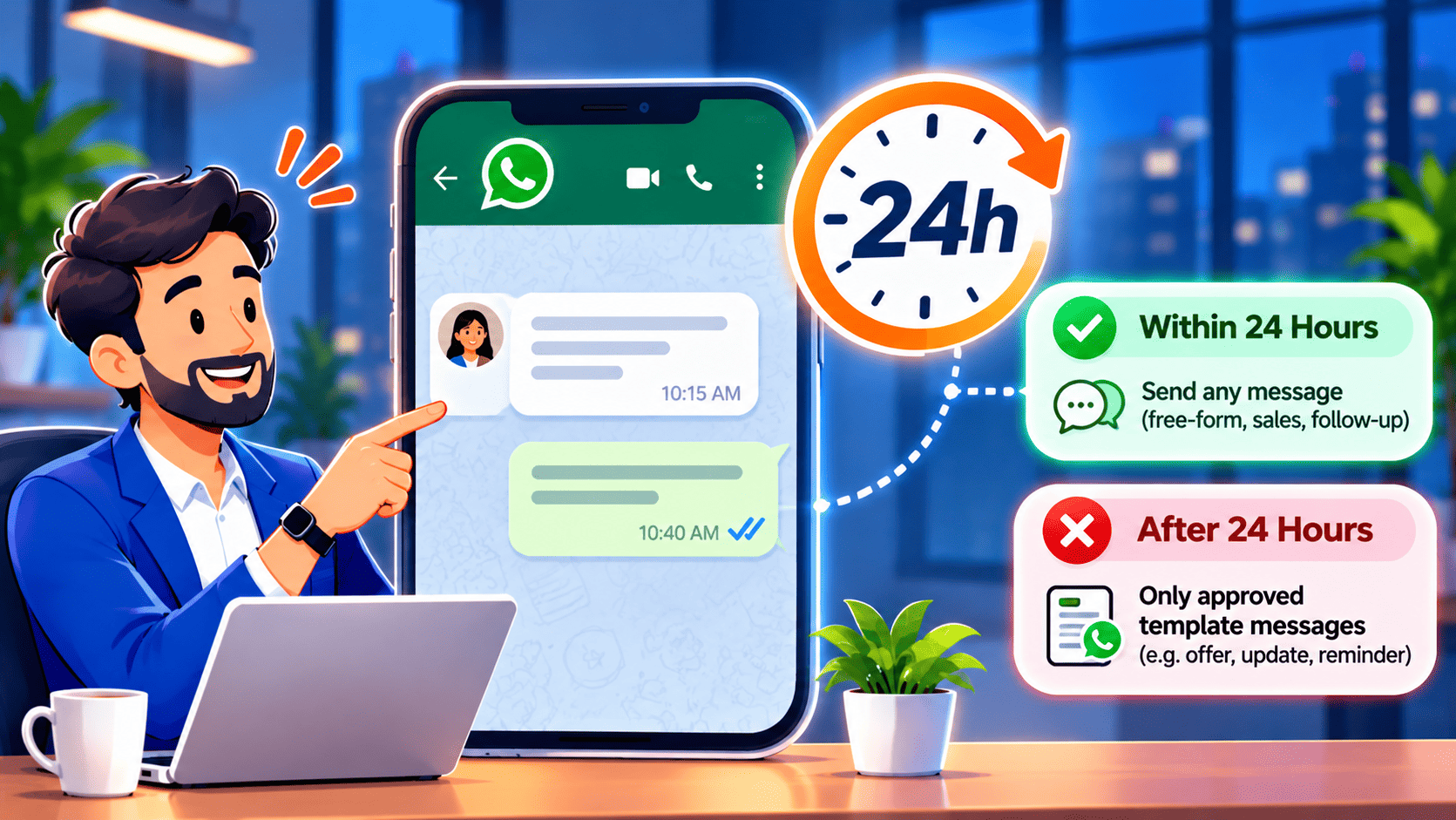
Your salesperson types a friendly "Hi sir, just checking if you saw the quotation?" into the WhatsApp API inbox, hits send, and gets an error. Nothing is broken. They have simply run into the 24 hour WhatsApp messaging window, the rule that decides when a business can send free-form messages and when it must use a pre-approved template. For sales teams that live on WhatsApp, understanding this one rule removes a lot of daily friction and helps you plan follow-ups that actually reach the customer.
Table of contents
- What the 24 hour WhatsApp messaging window is
- Inside the window vs outside the window
- Practical sales scenarios
- Planning follow-ups around the window
- How Wetroo helps
- FAQs
- Conclusion
What the 24 hour WhatsApp messaging window is
On the WhatsApp Business Platform (the API), Meta calls it the customer service window. According to Meta's developer documentation, when a WhatsApp user messages or calls your business, a 24-hour window opens. During that window you can send service messages: free-form text, images, documents and other non-template messages that need no pre-approval (Meta for Developers). Each new message from the customer restarts the 24-hour clock.
Two details matter for sales teams:
- Only the customer can open or refresh the window. Your own outgoing messages do not extend it.
- Outside the window, only template messages can be sent. Templates are pre-written formats that Meta reviews and approves before use.
This rule applies to the API. The free WhatsApp Business app on a phone works differently, which is one reason growing teams that move to the API are surprised at first.
Inside the window vs outside the window
Here is a simple way to explain the rule to a new telecaller.
| Situation | What you can send | Typical sales use |
|---|---|---|
| Customer messaged within the last 24 hours | Any service message: text, PDF, image, voice note, location | Answer questions, send brochure, share price list, book a visit |
| Customer last messaged more than 24 hours ago | Only an approved template message | Re-engage, remind about a quote, confirm an appointment |
| Customer replies to your template | Window reopens for another 24 hours | Continue the conversation freely |
Pricing is linked to these message types too. Since 1 July 2025 Meta charges per delivered message, by category and market. At the time of writing, Meta's pricing page says that from 1 October 2026 each business phone number gets 1,000 free service messages (non-template replies inside an open window) per month, with charges from the 1,001st; utility templates sent inside an open window, which had been free, are charged again; and marketing templates are always charged (Meta pricing documentation). Rates and rules change, so check Meta's page or our explainer on how WhatsApp pricing works before budgeting.
The free entry point exception
Meta also describes a free entry point window. If a customer starts a chat by tapping a Click to WhatsApp ad on the WhatsApp Android or iOS app, and you respond within the customer service window, your reply opens a free entry point window that may stay open for up to 7 days. While it is open, Meta does not charge for marketing, utility, authentication or service messages to that customer (Meta Business Agent messages are still charged), according to Meta's pricing page at the time of writing. This is useful for ad-driven businesses, but the normal 24-hour rule still governs free-form messaging.
Practical sales scenarios
The rule sounds technical, but it maps neatly onto daily sales moments.
Scenario 1: Fresh enquiry at night
A lead sends "Price for 2BHK?" at 10:30 pm. The window is open until 10:30 pm the next day. If your team only looks at it at 11 am, you are still inside the window and can reply freely with the price sheet and photos. The risk comes when nobody replies until the following evening.
Scenario 2: Quotation sent, no reply
You shared a quotation on Monday at 4 pm inside the window. By Wednesday, the window has closed. A casual "Any update?" will not go through. You need an approved template such as: "Hi {{1}}, your quotation {{2}} from {{3}} is ready for review. Reply YES to discuss or CALL to get a callback." When the customer replies, you are back in the window.
Scenario 3: Appointment reminders
Site visits, demo calls, clinic appointments and test drives are often booked days ahead. Use a utility template to confirm and remind. If the customer has messaged you recently, some of these may fall inside an open window.
Scenario 4: Long-cycle B2B deals
A manufacturer quoting to a distributor may wait weeks for a purchase order. Plan a sequence of templates spaced over the cycle rather than relying on free-form messages.
Hypothetical example
This is a hypothetical example, not a real customer. "Kaveri Modular Kitchens" in Bengaluru runs Click to WhatsApp ads. One weekend it receives 60 chats. The owner replies to all of them within a few hours on Saturday, sending catalogue PDFs and asking for kitchen dimensions. By Tuesday, half the leads have gone silent. The team's free-form "Hello?" messages fail because the windows have closed. They create two approved templates, one utility template that shares a design consultation slot and one marketing template with a seasonal offer, and schedule them automatically. Replies reopen the window, and salespeople continue the conversation normally.
Planning follow-ups around the window
Treat the window as a deadline, not a nuisance. A few habits help:
Checklist for sales managers
- Every new WhatsApp lead is assigned to an owner within minutes
- First reply goes out well before 24 hours, ideally immediately
- Each reply ends with a question so the customer has a reason to respond
- At least three approved templates exist: quote reminder, appointment reminder, re-engagement
- Follow-ups beyond 24 hours are automated with templates, not left to memory
- Opt-out requests are honoured immediately
Write templates that invite a reply
Since a customer reply reopens the window, design templates with a clear, easy action: "Reply 1 for price, 2 for site visit." Avoid vague promotional blasts. Our guide to WhatsApp template messages covers categories and approval tips, and our library of follow-up templates gives ready wording.
Don't try to "game" the window
Some teams look for workarounds such as switching to personal numbers or unofficial tools that send free-form messages without limits. These are against WhatsApp policies and can get numbers restricted. Stick to the official API and approved templates.
How Wetroo helps
Wetroo runs on the official WhatsApp Business API, so your team works within the same rules described above, with tools that make the window easier to manage:
- Instant lead alerts on the Android and iOS apps and by email, plus one-touch Quick Response intros, help the first reply go out fast, well inside the window.
- The omnichannel inbox keeps WhatsApp, Instagram, Facebook and Telegram chats in one place with each lead's timeline and notes.
- Sales sequences, drip campaigns and rule-based workflows can send approved templates after the window closes, so no lead is forgotten.
- AI agents can reply and qualify leads 24/7, so a late-night enquiry gets an answer while the window is open.
- Follow-up reminders in the mobile app prompt salespeople before a conversation goes cold.
FAQs
Does my message to the customer restart the 24-hour window?
No. According to Meta's documentation, the window is opened and refreshed by the customer's message or call, not by yours.
Can I send a PDF quotation after 24 hours?
Not as a free-form message. You would need an approved template, for example one with a document header, or wait for the customer to reply and reopen the window.
Does the 24-hour rule apply to the WhatsApp Business app?
The customer service window is a WhatsApp Business Platform (API) concept. The app has its own limits and is meant for small-scale, manual use.
Are messages inside the window free?
Partly. At the time of writing, Meta gives each business phone number 1,000 free service messages a month (from 1 October 2026) and charges after that; utility and marketing templates are charged even inside the window, unless the chat is in a free entry point window. Always confirm current pricing on Meta's site.
Conclusion
The 24 hour WhatsApp messaging window is simple once your team sees it as a timer that the customer controls. Reply fast while it is open, ask questions that invite a response, and keep a small set of approved templates ready for everything after. With alerts, a shared inbox and automated template follow-ups, the rule stops being a blocker and becomes a helpful structure for your WhatsApp sales process. To see how an official-API CRM can handle this for your team, visit www.wetroo.com.



