


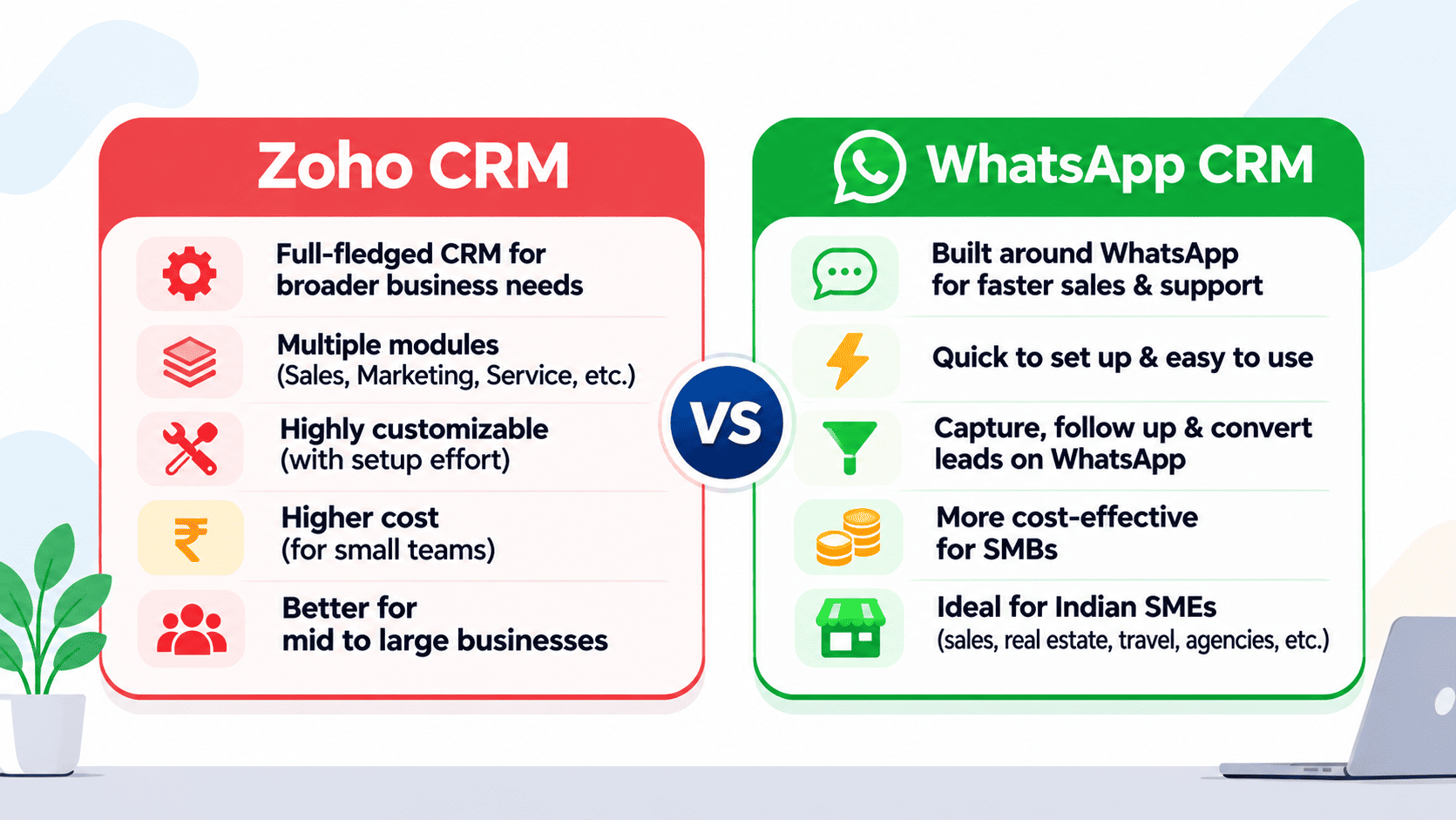
Indian SMBs choosing a CRM often end up comparing two very different approaches. On one side is a broad, modular CRM suite like Zoho CRM, which covers sales, marketing, analytics and much more, and connects to a large ecosystem of business apps. On the other side are WhatsApp-first CRMs, built around the reality that most Indian customers enquire, negotiate and confirm on WhatsApp. The Zoho CRM vs WhatsApp CRM question isn't about which is "better" overall. It is about which fits the way your team sells. This guide compares the two approaches fairly and helps you decide.
Table of contents
- Two different starting points
- Zoho CRM vs WhatsApp CRM: side-by-side
- When a modular CRM suite fits better
- When a WhatsApp-native stack fits better
- Questions to decide with
- How Wetroo helps
- FAQs
- Conclusion
Two different starting points
The modular CRM suite
Zoho CRM is a well-established CRM with editions from a forever-free plan for 3 users through to advanced paid tiers, according to Zoho's pricing page (Zoho CRM pricing). Its paid editions list capabilities such as multiple pipelines, built-in calling, sales forecasting, custom modules, process management, inventory management, CPQ and AI agents. Zoho also offers a WhatsApp integration that lets you message customers from the CRM, receive notifications, use templates and automate WhatsApp notifications through workflow rules (Zoho CRM WhatsApp). Zoho's help centre notes that the integration requires a verified business and a WhatsApp Business API number, and lists it for the free trial and paid editions.
The starting point is the CRM data model: modules, fields, processes. Channels like WhatsApp plug into it.
The WhatsApp-first CRM
A WhatsApp-first CRM starts from the conversation. The shared WhatsApp inbox, templates, broadcasts, chatbots and quick replies are central, and lead management, pipelines and automation are built around those conversations. Our explainer on what a WhatsApp CRM is covers the concept in detail.
Zoho CRM vs WhatsApp CRM: side-by-side
This table compares approaches, not every feature of every product. Check each vendor's current pages for specifics.
| Aspect | Modular CRM suite (e.g., Zoho CRM) | WhatsApp-first CRM |
|---|---|---|
| Core design | Data model and processes | Conversations and lead follow-up |
| Integration into CRM modules | Native inbox, templates, broadcasts, bots | |
| Breadth | Wide: sales, CPQ, inventory, analytics, ecosystem apps | Focused: lead capture, chat, calls, follow-ups |
| Customisation | Very deep; may need admin skills | Simpler; configured quickly |
| Setup effort | Higher for complex processes | Lower for chat-led sales |
| Best users | Structured B2B, multi-department processes | Telecallers, chat-led sales, SMB owners |
| Pricing model | Typically per user per month by edition | Varies; some price per organisation |
When a modular CRM suite fits better
Choose a suite like Zoho CRM if:
- Your process is complex and structured, with approvals, custom modules, CPQ or inventory needs.
- You already use other apps in the same ecosystem for finance, HR or support and want them connected.
- You have, or can hire, a CRM administrator to configure and maintain it.
- WhatsApp is one channel among many, not the main way deals move.
- You need deep customisation of fields, layouts, reports and processes.
For many B2B manufacturers, IT services firms and companies with multiple departments, this breadth is valuable.
When a WhatsApp-native stack fits better
Choose a WhatsApp-first CRM if:
- Most enquiries arrive and convert on WhatsApp, Instagram or Facebook.
- Speed matters more than structure: you win by replying in minutes.
- Your team is telecallers and salespeople, not CRM admins, and needs something they can use on day one.
- You want chatbots, broadcasts and AI agents working on the same number as your sales team.
- You sell to consumers or small businesses where chat is the natural channel: real estate, education, healthcare, travel, local services, D2C.
Hidden costs to compare on both sides
Sticker prices rarely tell the whole story. On a modular suite, factor in the edition you actually need (the features you saw in a demo may sit in a higher tier), the number of users, any marketplace extensions and the time an admin will spend configuring and maintaining it. On a WhatsApp-first CRM, check whether the plan includes the WhatsApp API setup, AI replies or calling, and what add-ons such as IVR cost. On both, WhatsApp template messages are charged by Meta according to its own pricing, so estimate your monthly template volume. Finally, count the cost of slow adoption: a powerful system your team avoids is more expensive than a simpler one they use every day.
Hypothetical example
This is a hypothetical example, not a real customer. Two businesses in Jaipur evaluate CRMs in the same month. "Rajputana Machine Tools" sells CNC machines to factories, with long technical discussions, multi-level approvals and formal quotations; WhatsApp is used, but deals move through meetings and email. It chooses a modular CRM suite and assigns an internal admin to configure custom modules and approval processes. "PinkCity Study Hub", a coaching institute, gets almost all enquiries from Instagram ads and WhatsApp, and counsellors spend their day chatting with students and parents. It chooses a WhatsApp-first CRM with a shared inbox, chatbot and drip follow-ups. Both made the right choice for their sales model.
Questions to decide with
Decision checklist
- What share of our enquiries start or continue on WhatsApp?
- Who will configure and maintain the CRM?
- Do we need modules beyond sales (inventory, CPQ, support, finance)?
- How quickly must the team be productive?
- Do we want AI chat or calling on the same number?
- How many users, and does the pricing model suit our team structure?
- Which lead sources must connect natively (Facebook, Google, IndiaMART, website)?
- What are the total costs, including WhatsApp API messaging charges from Meta?
You can also combine approaches
Some businesses use a suite for back-office processes and a WhatsApp-first tool for front-line lead handling, connected through integrations or webhooks. This adds complexity, so only do it if both sides genuinely need their own tools. Our guide to CRM with WhatsApp integration explains integration options.
How Wetroo helps
Wetroo is an example of the WhatsApp-first, agentic approach. According to wetroo.com:
- WhatsApp Business API with green-tick application support listed on its pricing page, an omnichannel inbox for Facebook, Instagram, Telegram and WhatsApp, plus broadcasting and retargeting.
- Chatbot builder in English, Hindi, Marathi, Tamil, Telugu, Bengali, Gujarati and Kannada.
- AI agents that chat, call, qualify and follow up 24/7, with live transfer to a human on calls.
- Lead capture from Facebook Ads, Instagram, Google Ads lead forms, IndiaMART and WordPress forms, with instant lead alerts and one-touch Quick Response.
- Sales sequences, drip campaigns, rule-based workflows and a no-code workflow builder; invoices and quotations.
- SMS, email, IVR and SIM-based calling, Android and iOS apps.
- Pricing listed per organisation; at the time of writing, plans start at ?1,999 per organisation per month plus GST (check wetroo.com/pricing).
- Implementation manager, data migration and training on every plan.
For a broader shortlist, see our guide to the best CRM for small business in India.
FAQs
Does Zoho CRM support WhatsApp?
Yes. Zoho CRM offers a WhatsApp Business integration with messaging, notifications, templates and workflow-based automation. Zoho's help centre lists it for the free trial and paid editions.
What is a WhatsApp-first CRM?
A CRM designed around WhatsApp conversations, with a shared inbox, templates, chatbots and broadcasts at its core and lead management built around them.
Which is easier to set up for a small team?
WhatsApp-first CRMs are usually quicker to set up for chat-led sales. Modular suites offer more depth but often need more configuration.
Can I switch from Zoho CRM to a WhatsApp CRM later?
Yes. Export your data, map fields and stages, reconnect lead sources and set up the WhatsApp API number. Ask vendors about migration support.
Conclusion
The Zoho CRM vs WhatsApp CRM decision comes down to your sales model. If you run structured, multi-department processes and have admin capacity, a modular suite offers breadth and depth. If your deals live on WhatsApp and speed decides who wins, a WhatsApp-native stack will feel faster and more natural for your team. Map your channels, people and processes, then trial both approaches with real leads. To explore a WhatsApp-first CRM with AI agents, visit www.wetroo.com.



