


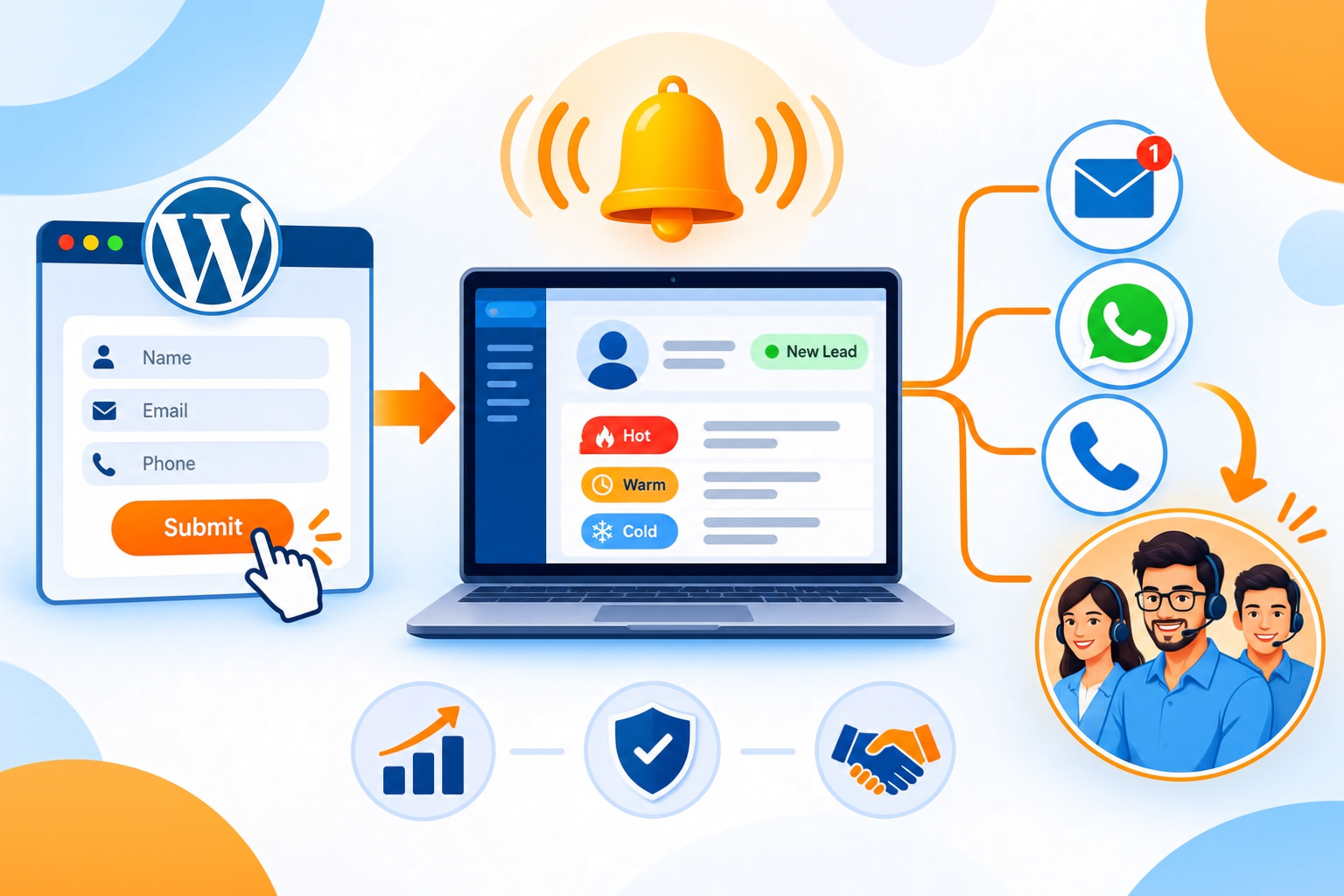
Your website may be the most underrated lead source in your business. Someone who finds you on Google, reads your services page and fills in your contact form has done real research. Yet on many Indian SMB websites, that form sends an email to an inbox that is shared, filtered to promotions or checked once a day. Some enquiries land in spam and are never seen. A WordPress contact form CRM connection fixes this. Each form submission becomes a lead in your CRM, assigned to someone and pushed to their phone, with an instant WhatsApp or SMS reply. This guide shows the options, from plugins to webhooks, and how to set it up without stitching together a chain of paid automation tools.
Table of contents
- Why website leads slip through the cracks
- Three ways to set up a WordPress contact form CRM link
- Why fewer moving parts beats Zapier chains for most SMBs
- Step-by-step setup
- Designing forms that convert and sync cleanly
- A hypothetical example
- How Wetroo helps
- FAQs
- Conclusion
Why website leads slip through the cracks
Website forms usually fail quietly:
- Email notifications only. The form emails "info@" and nothing else happens.
- Spam filters. Form emails look automated, so they sometimes land in spam.
- Shared inboxes. Everyone assumes someone else replied.
- No mobile alert. The salesperson in the field never sees the enquiry until evening.
- No record. Form emails are not linked to any customer history.
- Broken forms. A plugin update or hosting change stops emails, and nobody notices for weeks.
Website leads are often your highest-intent leads. Losing them is a quiet form of lead leakage.
Three ways to set up a WordPress contact form CRM link
1. A native CRM integration or plugin
Some CRMs offer a WordPress plugin or a direct integration with popular form plugins. You install it, connect your account and choose which forms to sync.
2. A webhook from the form plugin
Many form plugins can send submissions to a webhook URL, either built in or through an add-on. Your CRM provides the URL; the form posts data to it on every submission. Popular plugins such as Contact Form 7 are often paired with webhook add-ons for this purpose.
3. A middleware tool such as Zapier
The form sends data to an automation platform, which passes it to the CRM. Flexible, but it adds another account, another bill and another point of failure.
| Option | Speed | Setup effort | Ongoing cost | Points of failure |
|---|---|---|---|---|
| Native integration | Instant | Low | Included with CRM | Plugin, CRM |
| Webhook | Instant | Low to medium | Usually none extra | Form plugin, webhook, CRM |
| Middleware | Near instant | Medium | Extra subscription | Form, middleware, CRM, connections between them |
Why fewer moving parts beats Zapier chains for most SMBs
Middleware tools are excellent for complex, multi-app workflows. For the simple job of "form to CRM", they can create problems for small teams:
- Hidden costs as volume grows or premium connectors are needed.
- Silent failures when a connection expires and nobody gets the error email.
- Ownership gaps when the person who built the chain leaves.
- Debugging headaches across three dashboards.
If your CRM supports WordPress forms directly or through a webhook, start there. Keep middleware for genuinely complex cases.
Step-by-step setup
- List every form on your site. Contact page, enquiry popups, quote request, career forms. Decide which are sales leads.
- Choose the method: native integration first, webhook second, middleware only if needed.
- Map fields. Name, phone, email, service of interest, city, message. Add hidden fields for page URL and UTM parameters if possible, so you know which page and campaign produced the lead.
- Tag the source as "Website: contact form" or by form name.
- Set assignment rules by service, city or rotation.
- Turn on instant alerts on salespeople's phones.
- Configure an instant reply on WhatsApp or SMS, plus the usual email confirmation.
- Test every form from both mobile and desktop.
- Keep email notifications on as a backup.
- Schedule a monthly test to catch silent breakages.
Setup checklist
- All sales forms identified
- Integration method chosen
- Fields mapped, including phone with country code
- Source and page URL captured
- Assignment and alerts working
- WhatsApp or SMS auto-reply configured
- Test submissions successful on mobile and desktop
- Monthly test reminder set
Designing forms that convert and sync cleanly
- Ask for phone number and make it required for sales forms; most Indian buyers prefer calls or WhatsApp.
- Use a dropdown for service or product, not free text, so routing rules work.
- Ask for city if you serve multiple locations.
- Keep it short. Four or five fields are enough for a first enquiry.
- Add consent text, for example "We'll contact you by phone or WhatsApp about your enquiry."
- Show a useful thank-you message: expected response time, a WhatsApp button and office hours.
- Protect against spam with a captcha or honeypot so junk does not flood your CRM.
Tracking which pages produce leads
Once forms sync to a CRM, capture the page URL and campaign parameters with each submission. Within a few weeks, you can answer questions that email notifications never could: which service page brings the most enquiries, whether blog readers ever become customers, and which Google or social campaign sends visitors who actually fill the form. This turns your website from a brochure into a measurable sales channel, and it tells you where to invest in content and ads next.
A hypothetical example
Illustrative scenario, not a real business.
A chartered accountancy firm in Indore has a WordPress site with a contact form and a "Request a quote" form for GST and company registration. Both send emails to a shared inbox. During tax season, enquiries pile up, and some sit for two days.
The firm connects both forms to its CRM through a webhook. The service dropdown routes GST enquiries to one associate and company registration to another. Each lead gets an SMS and WhatsApp message within a minute: "Thanks for contacting Joshi & Co. about GST filing. CA Ritika will call you within the hour." The associate gets a push alert, calls and logs the outcome. A monthly test submission catches a plugin update that briefly broke the webhook, before any real leads are lost.
The broader lesson for professional firms is that a website form is only as good as the process behind it. A tested connection, a routing rule and a named person calling back quickly turn an ordinary contact page into a dependable source of clients.
How Wetroo helps
Wetroo connects directly to WordPress contact forms, alongside Facebook Ads, Instagram, Google Ads lead forms and IndiaMART, so website enquiries arrive in the same CRM as every other lead, without another platform in between. It also supports webhooks and 100+ integrations for forms and tools beyond these.
New leads are delivered instantly via the Wetroo app and email, and the one-touch Quick Response feature sends an auto-personalised introduction on WhatsApp, SMS or email. Custom assignment rules route leads across teams and sub-teams, and notes, reminders and a client timeline keep follow-ups on track. Wetroo's implementation manager can help connect your forms during onboarding.
FAQs
How do I connect my WordPress contact form to a CRM?
Use your CRM's WordPress integration or plugin if available, or send form submissions to the CRM's webhook URL. Middleware tools are a third option.
Do I need Zapier to connect WordPress forms?
Not necessarily. Many CRMs accept WordPress form submissions directly or via webhooks, which avoids an extra tool.
Will my form emails stop working?
No. Keep email notifications on as a backup while the CRM becomes your working record.
How can I stop spam leads from my website?
Use a captcha or honeypot field, require a valid phone number and filter obvious junk before it reaches your sales team.
Conclusion
Your website visitors have already chosen to reach out; the least you can do is reply quickly. A WordPress contact form CRM connection turns every submission into an assigned lead with an instant alert and WhatsApp reply, with fewer moving parts than a middleware chain. Map your forms, test them regularly and review website leads alongside your other sources. To capture website enquiries in the same CRM as your ads and IndiaMART leads, explore www.wetroo.com.



