


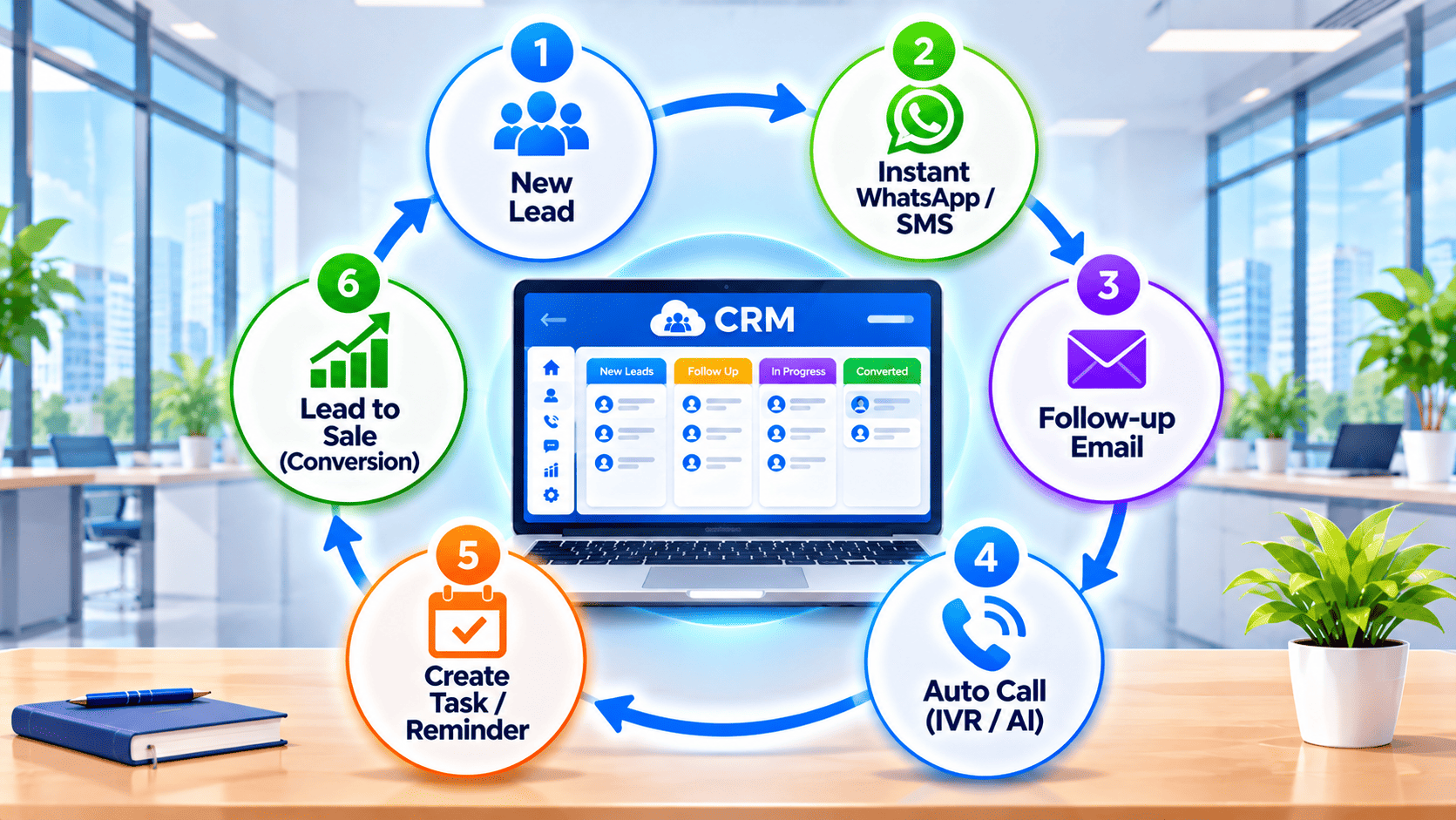
Simple automation is easy: when a lead arrives, send a welcome message. Most Indian SMBs using a CRM have something like that. But real buyers do not move in straight lines. They reply, go quiet, click a link, ask for a callback at 9 pm, book a demo and then miss it. Multi-step sales triggers let your automation react to what the buyer actually does, with conditions, waits and branches, so your follow-up feels like an attentive salesperson rather than a robot on a timer.
This guide explains the building blocks, gives practical examples for Indian sales teams, and shows how to keep automations human.
Table of contents
- Single triggers vs multi-step sales triggers
- The building blocks
- Five multi-step sales triggers to build first
- Making automation feel human
- Testing and maintaining workflows
- Where multi-step sales triggers go wrong
- Hypothetical example: a B2B chemicals supplier in Vapi
- How Wetroo helps
- FAQs
Single triggers vs multi-step sales triggers
A single trigger does one thing when one event happens: "New lead → send WhatsApp template."
A multi-step trigger chains events, conditions and actions over time: "New lead → send WhatsApp → wait 2 hours → if no reply and lead source is IndiaMART → assign call task to B2B team → wait 1 day → if still not contacted → alert manager."
| Single trigger | Multi-step trigger |
|---|---|
| Logic | When X, do Y |
| Reacts to buyer behaviour | No |
| Risk of irrelevant messages | Higher |
| Setup effort | Minutes |
| Best for | Acknowledgements |
The building blocks
Every multi-step workflow is made of a few elements:
Triggers (what starts it)
New lead, stage change, tag added, form submitted, call missed, message received, demo booked, quote sent, date reached.
Conditions (what is checked)
Lead source, city, product, budget, language, owner, stage, whether the lead replied, whether a call was connected.
Waits (when to act)
Fixed delays (wait 2 hours), until a time (next working day at 10 am), or until an event (until reply or 3 days, whichever is first).
Actions (what happens)
Send WhatsApp template, SMS or email; create task; assign or reassign; add tag; change stage; notify manager; start or stop a sequence; trigger an AI call.
Exits (when to stop)
Lead replies, books, buys, opts out or is marked lost. Exits are what keep automation from becoming spam.
Five multi-step sales triggers to build first
1. New lead rescue
- Trigger: new lead created
- Action: instant WhatsApp intro + assign owner + alert
- Wait: 15 minutes during working hours
- Condition: has owner logged a call or message?
- If no: reminder to owner
- Wait: 1 hour
- If still no: reassign to next rep and notify manager
2. After-hours qualification
- Trigger: new lead outside working hours
- Action: AI agent chat or call to qualify
- Condition: qualified as hot?
- If yes: tag "Hot – morning call", create priority task for 10 am
- If no: start nurture drip
3. Quote follow-up
- Trigger: stage changes to "Quote sent"
- Wait: same day → WhatsApp confirmation
- Wait: 3 days → if no reply, call task for owner
- Wait: 7 days → email with alternative option
- Exit: stage moves to Negotiation, Won or Lost
4. Demo or visit no-show recovery
- Trigger: visit or demo marked "No-show"
- Action: "Sorry we missed you" message with reschedule link
- Wait: 1 day → if no reschedule, call task
- Wait: 4 days → final reschedule message, then move to nurture
5. Cold lead reactivation
- Trigger: no activity for 60 days and stage not Won/Lost
- Condition: opted in for WhatsApp?
- If yes: one retargeting template; wait 7 days; if reply, assign to owner
- If no reply: tag "Dormant" and stop
Making automation feel human
Automation feels robotic when it ignores what the buyer just did. A few rules keep it human:
- Always exit on reply. If the buyer responds, stop the sequence and hand the conversation to a person.
- Respect working hours for calls and personal-sounding messages; nobody believes a "personal" message sent at 3:12 am.
- Personalise beyond the name: product, city, project, the question they asked.
- Use the rep's name when the rep owns the lead, and make sure replies reach that rep.
- Vary the channel: WhatsApp, then a call task, then email, not five WhatsApps in a row.
- Cap the touches. Decide the maximum automated messages per lead per week.
- Stay within policy. WhatsApp's Business Messaging Policy requires opt-in, respect for opt-outs and clear escalation paths when automation is used.
Workflow design checklist
- Trigger and goal written in one sentence
- Conditions based on fields that are reliably filled
- Waits aligned to working hours
- Exit on reply, booking, purchase, opt-out or lost
- Human task created at key moments
- Message cap per lead
- Tested with sample leads for each branch
Testing and maintaining workflows
Multi-step automations can misfire quietly. Build in maintenance:
- Test every branch with dummy leads before going live.
- Start with one workflow, watch it for two weeks, then add the next.
- Name workflows clearly, such as "IndiaMART – new lead rescue – v2".
- Avoid overlaps. Two workflows sending messages to the same lead on the same day is a common mistake.
- Review monthly: reply rates, opt-outs, tasks completed, conversions.
- Retire what does not work. Old workflows pile up and confuse everyone.
Where multi-step sales triggers go wrong
Even well-designed workflows can create problems. Watch for these:
- Dirty data in conditions. If "city" is typed five different ways, a territory branch will misroute leads. Use picklists for fields that drive automation.
- Silent failures. A template gets paused or a field is renamed, and a branch stops working without anyone noticing. Check workflow activity reports weekly.
- Automation replacing judgement. A workflow cannot tell that a buyer's father was just hospitalised. Make sure reps can pause automation on a lead with one tap.
- Too many cooks. When several people edit workflows, nobody knows what is live. Give one person ownership and keep a simple change log.
Hypothetical example: a B2B chemicals supplier in Vapi
Illustrative scenario only, not a real company.
A chemicals supplier in Vapi receives enquiries from IndiaMART, its website and trade directories. The team of five used one simple automation: a welcome email. Many IndiaMART enquiries were not called the same day, and quotes went unanswered for weeks.
The sales head builds three multi-step workflows. The first rescues new leads: WhatsApp intro, owner alert, reminder after 15 minutes, reassignment after an hour. The second handles quotes: confirmation, call task on day 3, alternative-grade email on day 7, exiting the moment the stage changes. The third reactivates dormant leads once per quarter with a single template to opted-in contacts. Each workflow is tested with dummy leads and reviewed monthly. Reps notice the system now nudges them at the right time rather than flooding customers.
How Wetroo helps
Wetroo offers sales sequences, drip campaigns, rule-based workflows and a no-code cloud workflow builder, and its pricing page lists advanced automation with multi-step triggers on the Business and Enterprise plans at the time of writing (check wetroo.com/pricing). Workflows can act across WhatsApp (official API), SMS, email, IVR and SIM-based calling, assign leads by custom rules, add tags and create follow-up reminders on the mobile app.
Wetroo's AI agents can step into after-hours branches to chat, call and qualify, with live transfer to a human. Leads arrive automatically from Facebook Ads, Instagram, Google Ads lead forms, IndiaMART and WordPress forms, and the analytics dashboard helps you see whether each workflow is actually working.
FAQs
What are multi-step sales triggers?
Automations that chain a trigger, conditions, waits and actions over time, and branch based on what the buyer does.
How are multi-step triggers different from drip campaigns?
A drip usually sends a fixed series of messages. Multi-step triggers react to behaviour, create tasks, reassign leads and stop when the buyer responds.
How many automated messages are too many?
It depends on your sales cycle, but cap touches per week and always stop on reply or opt-out.
Do I need a developer to build sales workflows?
Not with a no-code workflow builder, though planning and testing each branch carefully still matters.
Conclusion
Multi step sales triggers are how automation grows up: reacting to buyer behaviour, involving humans at the right moments and stopping when it should. Start with new lead rescue and quote follow-up, test every branch and keep the human rules in place. To build multi-step workflows across WhatsApp, calls and email, visit www.wetroo.com.



